Kirgo Casino in Your Pocket
Kirgo Casino on mobile keeps the lobby, cashier and bonus in the same places as the desktop site, with controls sized for your thumb rather than a mouse. We explain below how to add it to your home screen, sign in and make your first deposit, one step at a time.

Introduction to the Kirgo Casino App
What you can do on a phone, and what to check before you start.
Use the mobile lobby to find Gates of Olympus when you want to play from your phone rather than your computer. You pick up your phone, open Kirgo Casino, log in, and the game loads in the same place as on a desktop. The point of the mobile version is that your account, balance and bonus progress go wherever you go.
The same lobby is there on a small screen. You get slots from Pragmatic Play, NetEnt and Push Gaming, live tables from Evolution, and a sportsbook. Book of Dead and Starburst sit near the top for quick access. You don't need a second account for mobile, because one login works everywhere.
Payments work the same way. The cashier lists 7 payment methods, 6 of them cryptocurrencies, so on a phone you can, for example, scan a Bitcoin or Tether address straight from your wallet app. Skrill is the option for anyone who prefers an e-wallet to crypto.
The welcome offer is 100% up to A$2,500 + 100 free spins plus 100 free spins, and you can claim it from your phone just as easily as from a computer. The wagering is 35x and the bonus is valid for 30 days. If something goes wrong, live chat and email support are available from inside the app, and the rest of this page takes you through each step.
Kirgo Casino Mobile Site or App: Which One Suits You
A plain side-by-side look at both ways to play Kirgo Casino on your phone.
The browser route starts with the Kirgo Casino address and the same account login you use elsewhere. A minute later you are spinning Gates of Olympus. You did not download or install anything, and nothing new is taking up storage. That is the mobile site, and for a lot of players it is all they ever need.
The app version runs the same account, so your balance, bonuses and game history are the same on both. Most of the difference is in convenience. An icon on your home screen saves you typing the address each time, and you stay signed in between visits. The browser suits you if you play now and then, or if your phone is short on space.
Both versions show the same lobby: slots from Pragmatic Play, NetEnt and Push Gaming, plus Evolution live tables. Payments work the same way too, with Bitcoin, Tether or Skrill in AUD, and support is through live chat or email. Here is how they compare.
| Feature | Mobile site | App |
|---|---|---|
| Installation | None, open it in any browser | One-time setup on your phone |
| Storage used | Almost none | A small amount for the app |
| Getting in | Type the address or use a bookmark | Tap the home screen icon |
| Staying logged in | Usually remembered between visits | Usually remembered between visits |
| Games and live tables | Full lobby | Full lobby |
| Deposits and withdrawals | Same cashier and methods | Same cashier and methods |
| Support | Live chat and email | Live chat and email |
| Best for | Occasional play, phones short on space | Regular players who want quick access |
Downloading Kirgo Casino on Android
How to get Kirgo Casino onto your Android phone, one step at a time.
Add Kirgo Casino to the home screen if you want to reach Gates of Olympus without entering the address each time. The answer is to put Kirgo Casino on your home screen, and on Android that takes only a few minutes.
The rule is simple: get the download only from the official Kirgo Casino site, never from a link someone sends you or a file on a forum. Your phone may show a warning about installing from outside the Play Store. That is normal for casino apps, and you can switch the setting off again once you're done.
The account side stays the same on Android as everywhere else: the minimum deposit is A$20 and crypto withdrawals arrive within 1 hour.
Open the official site
Go to Kirgo Casino in Chrome or your usual browser and find the Android download in the menu.
Allow the install
If your phone asks, allow your browser to install apps for this one file. You can turn the permission off afterwards.
Install and open
Tap the downloaded file, press Install, then open the Kirgo icon on your home screen.
Log in or register
Sign in with your details, or create an account, and pick a game such as Book of Dead to check everything runs smoothly.
Installing Kirgo Casino on iOS
Put Kirgo Casino on your iPhone home screen in a couple of minutes using Safari.
For quicker access to Gates of Olympus on iPhone, use the home screen route rather than typing the website address on each visit. You don't need to search the App Store for this. On iOS, Kirgo Casino is added through Safari, and it then sits on your home screen like any other app.
The shortcut opens the full mobile site. That means the same account, the same balance in AUD and the same cashier, with Bitcoin, Tether and Skrill among the options. Live chat is there too if something looks wrong. Because it runs from the browser, there is no download to wait for and nothing to update by hand. You always get the current version. Use Safari for this, since other iOS browsers handle the home screen option differently.
Open Safari
Go to the official Kirgo Casino website in Safari on your iPhone or iPad.
Tap the Share button
It is the square with an arrow pointing up, at the bottom of the screen on iPhone or at the top on iPad.
Choose Add to Home Screen
Scroll down the share menu until you see it. If it isn't there, tap Edit Actions and switch it on.
Name the icon and confirm
Leave the name as Kirgo Casino or shorten it, then tap Add in the top corner.
Launch and log in
Tap the new icon on your home screen, sign in once, and the casino opens in full screen.
Full App Features
Here is what you can do once Kirgo Casino is open on your phone.
The full slot lobby
Book of Dead is available through the same account across laptop and phone. The next morning you can find the same game on your phone, from the same providers: Pragmatic Play, NetEnt and Push Gaming. You use one account on both, so there is nothing new to learn.
Live tables from Evolution
Real dealers stream straight to your screen. Turn the phone sideways and the table fills the display, with the betting buttons big enough to tap easily.
Sportsbook in the same place
The betting section sits next to the casino in the menu. You can check a match and then go back to Gates of Olympus without logging in again.
Cashier on the go
All 7 payment methods are there, including 6 cryptocurrencies such as Bitcoin and Tether, plus Skrill. The minimum deposit is A$20 (A$30 for crypto), and deposits are instant with no fee.
Welcome offer from your phone
You can claim the 100% bonus up to A$1,000 with 100 free spins on mobile too. Wagering is 35x, the bonus is valid for 30 days and the free spins for 7 days.
Help when you need it
Our casino's live chat opens inside the app, and you can also email our casino's support team. For questions about this website, write to [email protected] .
Kirgo Casino App Screenshots
Six screens you will use most, shown as they look on a phone.
Use the lobby search to find Book of Dead on your first mobile visit rather than browsing every game tile. You tap the search bar at the top of the lobby, type the first few letters, and the game tile appears. These screens show that path and a few others, so you know what to expect before you sign up.
Each screenshot below comes from the live mobile site. The layout is simple: menu at the bottom, search at the top, and the cashier one tap away from your balance. Take a minute with each one and the app will feel familiar from day one.
Lobby
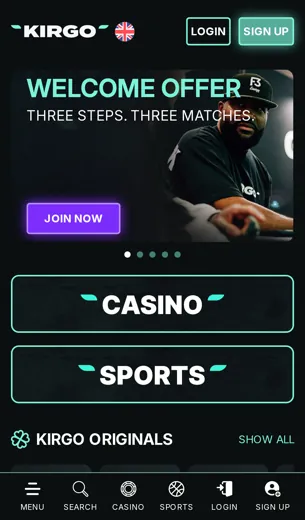
The home screen with featured slots, the welcome offer of 100% up to A$2,500 + 100 free spins plus 100 free spins, and quick tabs for casino, live and sports.
Slot in play
Gates of Olympus running on a phone screen, with the bet size and spin button within reach of your thumb.
Live casino
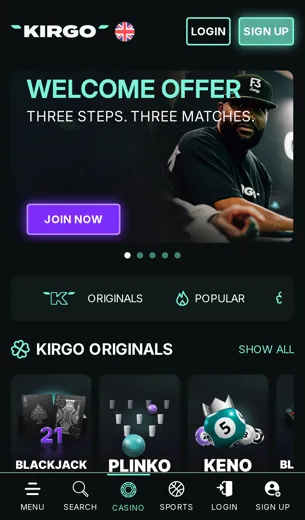
Evolution tables listed by game type. Tap one to see the dealer stream and the betting panel.
Sportsbook
Upcoming matches with their markets. Tap a price and it is added to your bet slip at the bottom.
Cashier
Deposit options such as Bitcoin, Tether and Skrill. The minimum deposit is A$20 by card or e-wallet and A$30 by crypto.
Live chat
Our casino's support window opens over the page, so you can ask a question without leaving your game.
 Casino home screen
 Casino game lobby
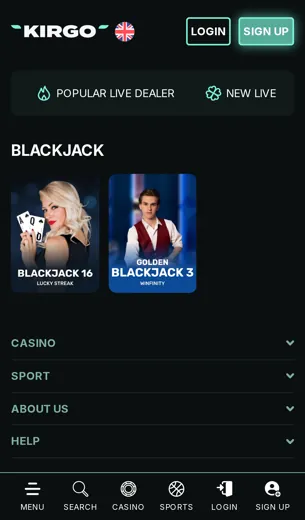 Blackjack game lobby
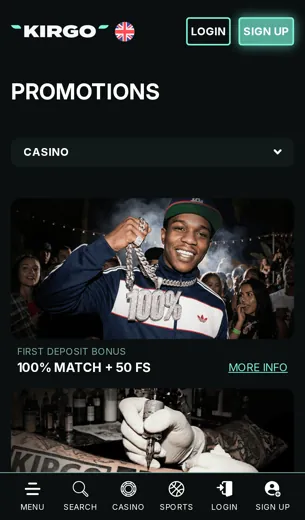 Casino promotions page
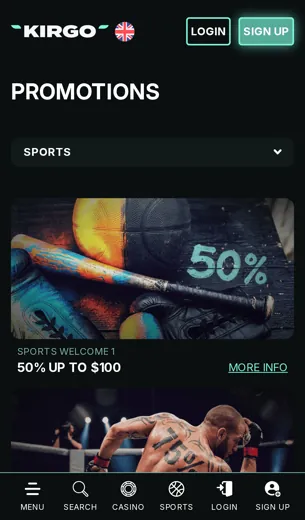 Promotions page
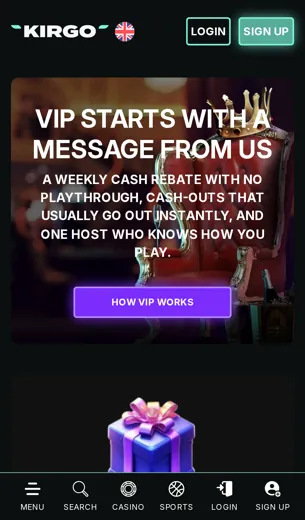 VIP program details
First Deposit Bonus on the Kirgo Casino App
What the 100% match up to A$1,000 and 100 free spins look like when you claim them from your phone.
The app uses the same first-deposit welcome offer when you register and fund your account from your phone. If that deposit qualifies, we add a 100% match up to A$1,000 on top of it, along with 100 free spins. So what you put in comes back as bonus money, up to A$1,000, and the spins sit in your account ready for the slots they're tied to.
The rule is simple. The welcome offer is linked to your first deposit, so it only counts once. Make that deposit when you actually mean to play, not as a quick test. Before you pay, keep three things in mind: the minimum deposit is A$20 (A$30 for crypto), the wagering requirement is 35x, and the bonus is valid for 30 days, while the free spins are valid for 7 days.
You can fund the deposit with Skrill or with crypto such as Bitcoin, Ethereum or Tether. Amounts appear in AUD throughout. If something looks wrong after you deposit, contact live chat straight away, before you start spinning.

Installing the app does not come with a separate bonus. The welcome offer on the app is the same 100% match up to A$1,000 and 100 free spins you get on the website, so you lose nothing by choosing whichever one suits you.
Kirgo Casino App FAQ
The answers below cover common questions after setting up the mobile app. Start here.
How do I check that Kirgo Casino is a legitimate site?
Scroll to the licence section at the bottom of the page. It shows who licenses us, and it's worth reading before you deposit. Also check that the games come from known studios like Evolution, NetEnt and Pragmatic Play.
Can I play the same games on my phone as on a computer?
Yes. Gates of Olympus, Book of Dead and Starburst all load on mobile, and so do the live tables from Evolution. Your balance and history are the same on both.
How many ways can I pay from the app?
There are 7 payment methods: Bitcoin, Ethereum, Litecoin, Tether, USDT, Dogecoin and TRON, plus Skrill. Crypto withdrawals are processed within 1 hour, and Skrill withdrawals within 24 hours.
What is the welcome offer?
It's a 100% match up to A$1,000 plus 100 free spins. The wagering requirement is 35x, the bonus is valid for 30 days and the free spins for 7 days.
What does wager before withdrawal mean?
It means you have to bet the bonus a set number of times before you can cash out the money it earns. Your own deposit and your bonus funds are counted separately.
What does a 30 times wagering requirement mean?
Take a $10 bonus. At 30 times, you would need to place $300 in bets before any winnings from it can be withdrawn. Our welcome offer uses 35x, so a $10 bonus would need $350 in bets.
What is the $20 method?
Some players set a $20 limit for a session and stop once it's gone. It doesn't improve your odds, but it keeps your spending under control. You can do the same thing here by keeping your deposits small.
What happens if I win a big amount?
Winnings above the A$5,000 weekly withdrawal limit are paid in weekly instalments, and large withdrawals usually go through an identity check first. Send your documents early so the payout isn't held up.
Will I need to verify my identity?
Verification may be asked for at registration, before some deposits or when you request a withdrawal. Have a photo ID and a proof of address ready.
Is sports betting available in the app?
Yes. The sportsbook sits in the same account as the casino and live games, so you can switch between them without logging in again.
How do I contact support?
Our casino offers live chat 24/7, email and Telegram support. For questions about this website, write to [email protected] or message Telegram @kirgo_support.